A wedding slideshow is based on a simple principle: each displayed photo consumes attention time. The total duration depends on the number of images, the display time per image, and the rhythm imposed by the music. Before setting a timing, it is essential to understand how these three parameters interact, and then adjust them to the actual context of the projection.
Display time per photo and calculation of total duration
The basic parameter of a slideshow is the display duration of each image. If it’s too fast, guests won’t have time to identify the faces. If it’s too slow, boredom sets in by the tenth photo.
A commonly used range by video editors places this time between three and five seconds per photo. Adding transitions (fade, slide), each image occupies about four to six seconds on screen.
The calculation becomes straightforward: for 50 photos at five seconds each, the projection lasts just over four minutes. For 80 photos, it exceeds six minutes. This simple ratio allows for a balance between the number of photos and the desired duration, rather than piling up memories without limit. To delve deeper into the link between image selection and timing, you can consult La Mariée Rêveuse for a wedding which details these guidelines.
Guest attention threshold: why stay under ten minutes
The attention of a group in a reception hall is nothing like that of a movie theater audience. Guests are standing, drink in hand, engaged in conversation. The slideshow interrupts this social flow, and the tolerance for this interruption has a measurable limit.

Feedback from wedding planners relayed by WeddingPro France in April 2026 indicates a marked preference among millennials for slideshows under eight minutes. Older generations accept formats exceeding twelve minutes without noticeable disengagement. This generational difference weighs on the choice of duration when the guest list mixes profiles.
A pragmatic guideline: the duration of one or two pieces of music provides a natural framework. Two songs of three to four minutes each yield a slideshow of six to eight minutes, sufficient to tell the couple’s story without exhausting the goodwill of the room.
Musical rhythm and editing: synchronizing images and sounds
The rhythm of the slideshow is not decided in the editing software. It is determined by the choice of music. A slow piece imposes long transitions and a reduced number of photos. A more upbeat track allows for shorter display times and the inclusion of more images without the result appearing rushed.
Two common technical mistakes are:
- Overlaying fast music on photos displayed for five seconds each, creating a mismatch between sound energy and visual slowness.
- Stringing together three or four pieces of different styles, which fragments the emotion instead of building it.
- Ignoring the highlights of the piece (chorus, instrumental build-up) to place the most significant photos, such as the marriage proposal or a family portrait.
A successful edit aligns image changes with musical beats. Consumer software (iMovie, Canva, CapCut) offers automatic synchronization features that simplify this alignment.
Photo selection: the constraint that sets everything
The classic trap is starting with available photos rather than the target duration. Begin by setting the timing (six to eight minutes), then backtrack to the number of compatible images, which forces sorting. Selecting 40 to 60 photos requires eliminating duplicates and poorly readable images in large format. This sorting improves the perceived quality of the slideshow far more than any transition effect.
Nomadic projection under a tent: adapting duration to external constraints
Projecting a slideshow outdoors, under a pop-up tent or marquee, radically changes the technical parameters. Ambient brightness reduces the contrast of the projected image, even with a powerful projector. Guests squint, move around to find a correct angle, and their patience diminishes faster than in a dark room.
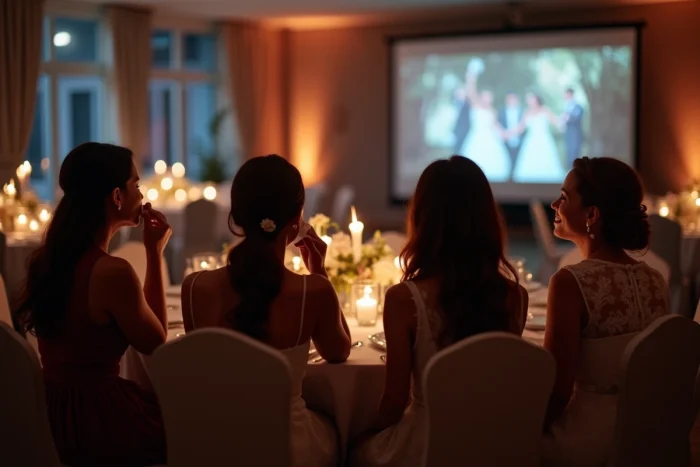
In these conditions, shortening the duration of the slideshow by a good third compared to an indoor projection is a reasonable precaution. A format of four to five minutes, with highly contrasted photos and large text, works better than an eight-minute edit designed for a dark room.
Some practical adjustments for nomadic projections:
- Prefer a matte white screen over a beige fabric wall, which absorbs light and dulls colors.
- Schedule the projection for the end of the day, when natural light decreases, to improve readability without waiting for complete darkness.
- Increase the display time per photo by one to two seconds, as visibility conditions require more time to identify each image.
- Broadcast sound via a standalone amplified speaker rather than through the projector’s speakers, which are often inaudible outdoors.
Short formats and viral alternatives
The quarterly analysis by The Knot Market Insights, published in February 2026, notes a growing adoption of wedding Reels (fifteen to thirty seconds) for after-parties since late 2025. These ultra-short formats do not replace the evening slideshow but offer complementary content that can be shared immediately on social media.
Reserving the long slideshow for the official moment of the reception and offering a very short edit for digital allows for covering two uses without extending the main projection.
The duration of a wedding slideshow is managed by three concrete levers: the number of selected photos, the unit display time, and the chosen music. A format of six to eight minutes indoors, reduced to four or five minutes outdoors, provides a reliable framework. The rest is a matter of photographic sorting and musical alignment.