The Assas ENT is based on a centralized portal accessible from ent.u-paris2.fr, which brings together all the digital services of the University of Paris-Panthéon-Assas. Accessing this space requires an activated computer account, an identifier in the form of an institutional email address, and a personal password. When one of these elements is problematic, access is blocked without an explicit error message.
Activation of the Assas computer account: the prerequisite that many ignore
The majority of connection blocks to the ENT do not stem from a forgotten password. They come from an account that has never been activated. The university distinguishes between administrative registration (payment of fees, submission of documents) and the activation of the digital account, which is a separate step.
Specifically, after the validation of the administrative registration, an activation link is sent to the personal email declared during registration. Without this click, the account remains inactive: no identifier works on the portal, even if the administration confirms that the file is complete.
Since the start of the 2025/2026 academic year, the new ENT is called “Mon Assas.” Activating the account provides access to this environment, which replaces the old portal. Students who attempt to log in to the Assas ENT with their old u-paris2.fr identifiers without having migrated to the new system consistently encounter a refusal.
If the activation link has never been received or has expired, the university’s help center (aide.assas-universite.fr) offers a chatbot capable of restarting the procedure. Going directly through this channel avoids waiting at the administration desk.

Assas ENT identifiers: email address and password, what has changed
The login identifier corresponds to the full institutional email address. Until recently, it ended with @etudiants.u-paris2.fr. The university has initiated a migration to the domain assas-universite.fr, with a definitive switch from the u-paris2.fr email to assas-universite.fr scheduled for March 18, 2026.
This domain change creates frequent confusion. Two scenarios:
- Students who have already migrated use their @assas-universite.fr address as their identifier. Messages sent to the old u-paris2.fr address are redirected to the new inbox.
- Those who have not yet migrated temporarily retain the @etudiants.u-paris2.fr address but must anticipate the switch to avoid losing access.
- Former graduated students no longer have access to the ENT. They can request an Assas Alumni address through a separate procedure at the help center.
The password is set during the account activation. It does not always expire with a visible warning. An expired password produces the same screen as an incorrect identifier, which can be misleading. In case of doubt, resetting via the page cas.u-paris2.fr/cas/login remains the quickest reflex.
Assas ENT login on smartphone: enhanced authentication
Logging in from a computer and from a phone does not require the same level of security. The portal imposes enhanced authentication on mobile, meaning that a valid password is not always sufficient on a smartphone.
This additional layer of verification can take the form of a confirmation via notification or a temporary code. The problem arises when the student has not configured this verification in advance: the connection fails without a clear explanation.
Setting up two-step verification
The configuration is done from a computer, in the security settings of the Microsoft account linked to the university. Once the second factor is registered (Microsoft Authenticator app or phone number), mobile login works normally.
Trying to configure this verification directly from the phone that is supposed to receive it can sometimes create a circular problem. Using a fixed station or another device resolves the situation.
Cache, cookies, and multiple sessions: the technical causes of disconnection
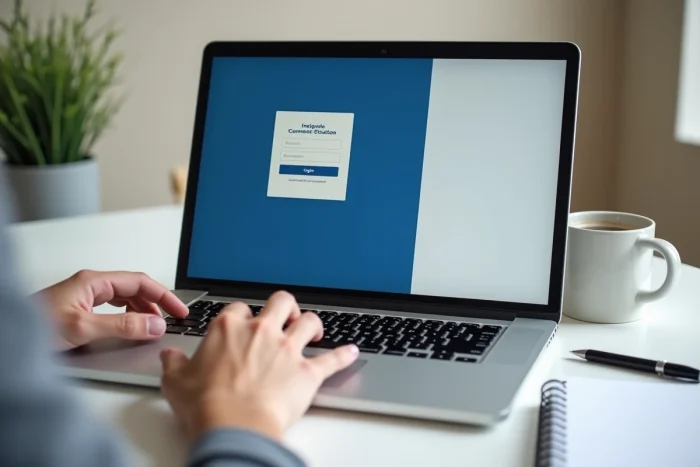
When the account is activated, the correct identifiers are in place, and enhanced authentication is set up, there remains a category of purely technical blocks. Three situations occur regularly:
- A saturated browser cache stores an old version of the login page. Clearing the browser’s cache and cookies, then retrying, is sufficient in most cases.
- Open sessions on multiple devices simultaneously cause unexpected disconnections. Closing active sessions on other devices before reconnecting stabilizes access.
- Some browsers, particularly older versions of Safari or Firefox, have incompatibilities with the portal. Testing the connection on an updated browser (recent versions of Chrome or Edge) allows for isolating the problem.
A detail often overlooked: a space before or after the email address in the identifier field blocks authentication. The system does not automatically correct this input.
When the portal itself is down
The Assas ENT experiences maintenance periods, especially at the beginning of the semester. Before making multiple attempts, checking the homepage of the portal ent.u-paris2.fr allows you to spot a possible information banner indicating temporary unavailability.
The transition to the new ENT “Mon Assas” has also changed some URLs of internal services. Bookmarked links may point to outdated pages, returning an error that resembles a connection issue while the account is functioning perfectly. Always start from the homepage of the portal rather than an old favorite to avoid this trap.